
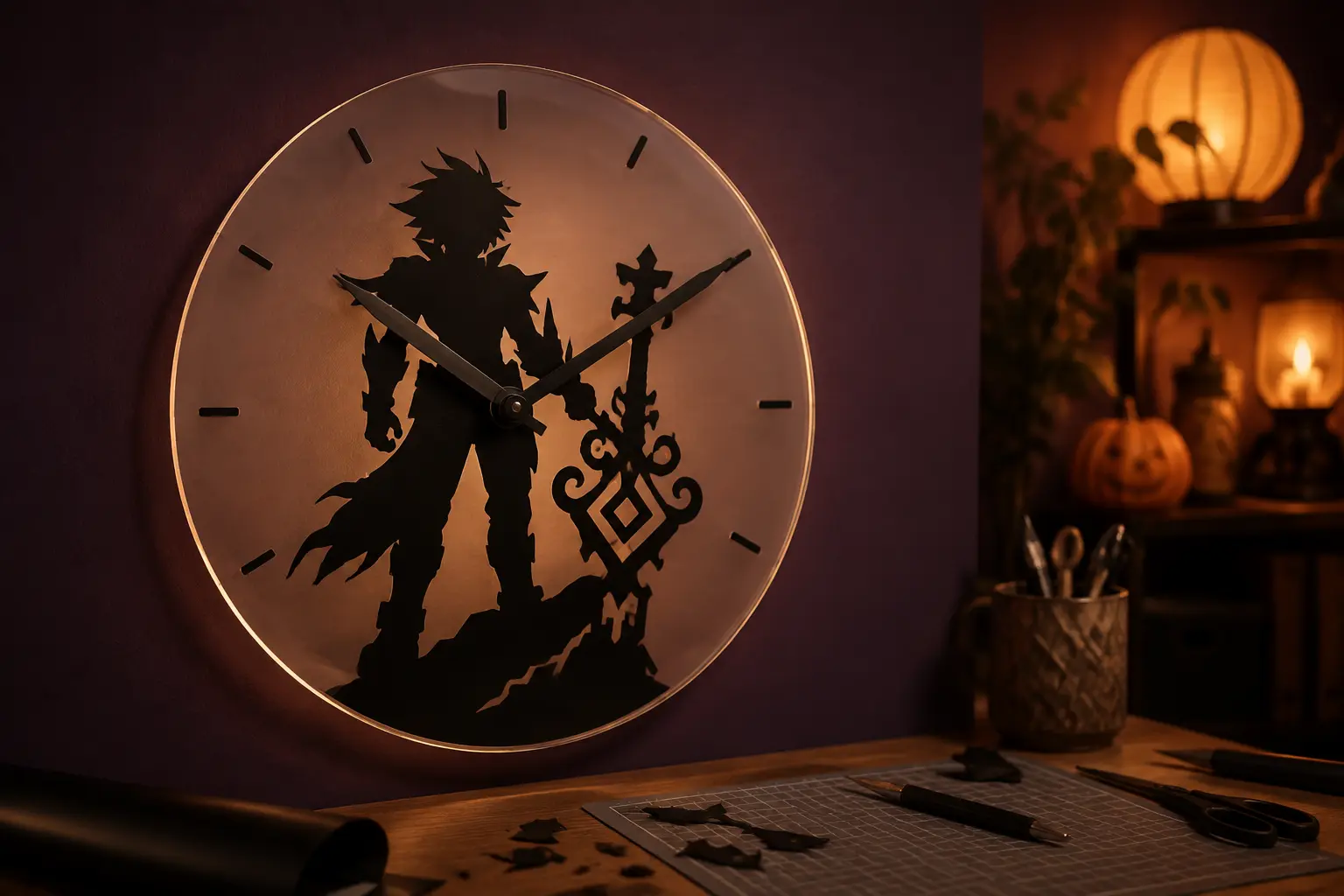
A clock gives one bold silhouette a purpose beyond another shirt or decal. The Dark Fantasy Shadow Warrior can anchor the lower half of a round acrylic face while an oversized weapon points toward the hour marks, creating moody game-room décor that still reads clearly from across the room. Starting with a predrilled clock blank keeps the project focused on cutting, layout, and safe assembly instead of risky acrylic drilling.
This is an original project plan based on standard adhesive-vinyl methods and common quartz clock-kit assembly. Acrylic finishes, vinyl adhesives, transfer tape, blade condition, blank thickness, shaft length, hand style, and movement hardware vary. Use the measurements as planning guidance, test your exact materials, and follow the current directions packaged with the acrylic blank, vinyl, wall hardware, and clock movement. This project has not been represented as physically tested.
What you’ll need
- Predrilled round acrylic clock blank, about 10 to 12 inches wide, with smooth undamaged edges
- Quartz clock movement and hand set whose shaft length matches the acrylic thickness
- Dark Fantasy Shadow Warrior SVG from the featured KleanKutChaos listing
- Smooth matte or gloss permanent adhesive vinyl with the intended color visible through the adhesive side
- Standard transfer tape matched to smooth vinyl
- Cricut-, Silhouette-, or similar cutting machine with the blade and mat recommended for the vinyl
- Weeding tool, fine tweezers, scraper, and bright task light
- Plain paper or removable paper vinyl for a full-size rehearsal
- Ruler, flexible measuring tape, low-tack painter’s tape, and a paper circle template
- Mild dish soap, clean water, lint-free microfiber cloth, and the acrylic maker’s approved cleaner
- Optional smoke-gray, frosted, or cream backing disc cut from thin cardstock or plastic that will not press against the movement
- Fresh battery in the exact size specified by the clock movement
- Wall hook or screw-and-anchor system rated for the finished clock and the wall type
- Eye protection and cut-resistant gloves for handling a loose acrylic edge
How to make it
- 1
Match the movement to the blank
Measure the acrylic at the center hole and compare it with the movement maker’s stated dial-thickness range and threaded shaft length. The shaft must pass through the blank with enough thread for the washer and nut but not so much that the hands sit far from the face. Do not enlarge the hole or force mismatched hardware.
- 2
Dry-assemble and test the clock
Before decorating, remove protective film only around the center as the blank maker permits and assemble the movement, washer, nut, hour hand, minute hand, and optional second hand in the specified order. Set every hand to twelve, turn the minute hand through a full revolution using the movement’s setting control, and confirm the hands remain parallel without touching the face or one another. Disassemble carefully after the fit check.
- 3
Reserve the movement clearance zone
Trace the clock blank at full size on paper and mark its exact center hole. Draw a 2-inch-diameter keep-clear circle around the hole plus the rear footprint of the movement box. Place the warrior and weapon around—not through—this zone so the vinyl does not interfere with the shaft, washer, nut, or flat seating of the movement.
- 4
Compose one readable silhouette
Import the shadow-warrior file and size it to roughly 7 to 9 inches tall on a 12-inch clock. Let the figure occupy the lower-left or lower-center portion while the weapon rises toward the right side. Preserve open space around the clock hands and remove any hairline interior cuts that would become fragile at final size.
- 5
Build simple hour ticks
Create twelve short rectangles or tapered marks in the cutting software and distribute them evenly on a circle. Make the marks at twelve, three, six, and nine slightly longer for fast reading. Keep every tick at least one-quarter inch inside the acrylic edge and confirm the warrior does not hide the key quarter-hour marks.
- 6
Make a full-size paper clock
Cut the warrior and ticks from plain paper, tape them to the back of the blank, and reinstall only the hands for a visual rehearsal. Hang or prop the mockup at eye level and view it from six to ten feet away. Check that the figure reads immediately, the hands contrast with the art, and every important mark remains visible through a complete hand rotation.
- 7
Test the backside vinyl effect
Apply a small scrap of the chosen vinyl to a hidden rear edge and inspect it from the front. Backside application shows the adhesive face through acrylic, so verify that the visible color is truly black and not gray, cloudy, or uneven. Also confirm that the acrylic is clear enough for the design and that the transfer tape releases without marking the surface.
- 8
Clean the acrylic safely
Follow the blank maker’s cleaning directions. Mild dish soap, clean water, and a lint-free cloth are safer defaults than harsh solvents; alcohol or ammonia can haze or craze some acrylics. Remove remaining protective film only when the surface is ready, handle the blank by its edges, and let it dry completely before vinyl application.
- 9
Mirror, cut, and weed the artwork
Mirror both the warrior and the complete tick-mark layout because they will be applied to the back and viewed through the front. Run a small test cut using the vinyl maker’s recommended setting, then cut the silhouette and ticks as separate labeled sections. Weed slowly from broad areas toward hair, hands, and weapon details, leaving the cut pieces on their liners.
- 10
Transfer the warrior to the back
Place the acrylic viewing-side down on a clean towel. Use the paper mockup measurements and low-tack tape hinges to position the warrior while protecting the center clearance zone. Lower the transfer from the hinge, burnish from the center outward, then peel the transfer tape back at a low angle. Stop and reburnish if any narrow point lifts.
- 11
Align the twelve hour marks
Place a paper circle template beneath the clear blank and align the twelve, three, six, and nine marks first. Add the remaining ticks in pairs on opposite sides so small spacing errors do not collect in one quadrant. Inspect the face upright before firm burnishing; an evenly spaced clock is easier to read than one with mathematically perfect marks hidden by the artwork.
- 12
Reassemble, test, and mount
Let the vinyl rest for the period recommended by its maker, then reinstall the movement without scraping the design. Tighten the center nut only as directed—overtightening can crack acrylic. Fit all hands at twelve, confirm a full rotation without contact, install the specified battery, and run the clock flat or upright for several hours before mounting it on hardware rated for both the clock and wall type.
Practical finishing tips
- Photograph the paper rehearsal with the center hole and a ruler visible; the image becomes a reliable placement map when the blank is flipped over.
- Choose clock hands that contrast with both the black silhouette and the wall behind the clear acrylic; pale metal or warm white is usually easier to read than black-on-black.
- Keep the warrior’s most recognizable outline outside the path swept by the hour hand so the silhouette remains legible at every time of day.
- Cut the hour ticks as four small transfer groups instead of one full ring if a large sheet of transfer tape feels difficult to center.
- Use a hand blower or clean soft brush for dust near the finished movement; liquid cleaner can wick into the clock mechanism or under vinyl edges.
Troubleshooting
The design was not mirrored for backside application. Remove the affected vinyl according to its maker’s directions, clean the acrylic with an approved method, mirror the file, and recut it rather than trying to disguise the reversal.
Remove the battery and inspect the hands at eye level. Re-seat them in the movement maker’s required order and keep them parallel, adjusting only as the instructions allow. Never bend hands while the movement is powered or use a hand set that is too long or heavy for the kit.
Check the battery, confirm that the hands do not touch each other, the nut, the acrylic, or the wall, and verify that the movement is mounted squarely. If the mechanism still stalls, replace the movement rather than forcing the hands.
Before the adhesive fully sets, press small bubbles toward the nearest vinyl edge with a scraper wrapped in soft cloth. Large creases usually look cleaner when the affected section is removed and recut; do not puncture vinyl against acrylic with a needle.
Lift only the marks that have not been fully burnished and return to the full-size circle template. Re-establish the four quarter-hour anchors first, then split each quadrant evenly instead of aligning each new tick only to its neighbor.
Ways to make it yours
Use a frosted acrylic blank or a removable frosted backing disc so the clear circle reads like a pale moon behind the black warrior.
Keep only the twelve, three, six, and nine ticks for a cleaner silhouette-forward clock that still gives basic orientation.
Add a few small copper adhesive-vinyl accents to the weapon and quarter-hour marks, testing both vinyl layers together before building the clock.
Use a smaller predrilled acrylic blank with a compatible clock stand, keeping the movement stable and the bottom edge clear of vinyl where it sits in the base.
Keep crafting
- DIY Foggy Monster Layered Shadow Box — Layer vellum, torn paper, bare trees, and monster silhouettes into a misty dimensional scene for a shelf or gallery wall.
- DIY Gothic Witch Book Box With Vinyl & Metallic Paint — Turn a plain book-shaped wooden box into an aged black, plum, and gold keepsake with an ornate witch cameo on the cover.
- DIY Gothic Rose Window Mirror With Vinyl — Turn a thrifted mirror into a cathedral-inspired rose window with black vinyl, an antique-gold frame, and a clean reflective center.
Inspiration & further reading
This is an original Klean Kut Halloween Crafts project inspired by approachable techniques shared across trusted craft and home sources. Explore Cricut Vinyl preparation and application guide and Cricut Transfer Tape Instructions for more ideas and technique background.